MetaMask is a non-custodial wallet available as a browser extension and mobile app. It doesn’t run a full node itself. Instead, it connects you to Ethereum-compatible networks, including Polygon, so you can hold assets, sign transactions, and use dApps directly from your browser or phone.
Polygon runs thousands of applications today, from stablecoin payments and tokenized real-world assets to DeFi, gaming, and prediction markets. Once your wallet is connected, all of it is one click away. Here’s how to get there.
Setting up MetaMask
If you already have MetaMask, skip to the next section. If not, setting one up takes a few minutes:
- Download MetaMask from the official website: browser extension (Chrome, Firefox, Brave, Edge) or mobile app (iOS, Android). Only ever install it from metamask.io or your phone’s official app store.
- Open it and select Create a Wallet. (Use Import using Secret Recovery Phrase instead if you’re restoring an existing wallet.)
- Choose whether to share anonymous usage data with MetaMask. You can change this later in Settings.
- Set a password for this device.
- MetaMask shows you a 12-word Secret Recovery Phrase. Write it down and store it offline. This phrase is the only way to recover your wallet if you lose your password or device, and anyone who has it can take everything in your wallet.
- Confirm the phrase by selecting the words in order, then select Confirm.
- Select All Done. Your wallet is ready.
Connecting MetaMask to Polygon
MetaMask defaults to Ethereum. Polygon is one of MetaMask’s own supported networks, so you don’t need a third-party site to add it. It’s built into the wallet.
- Open MetaMask and select the network picker at the top, then select Networks.
- In the search bar, type “Polygon.” Polygon appears under the list of networks.
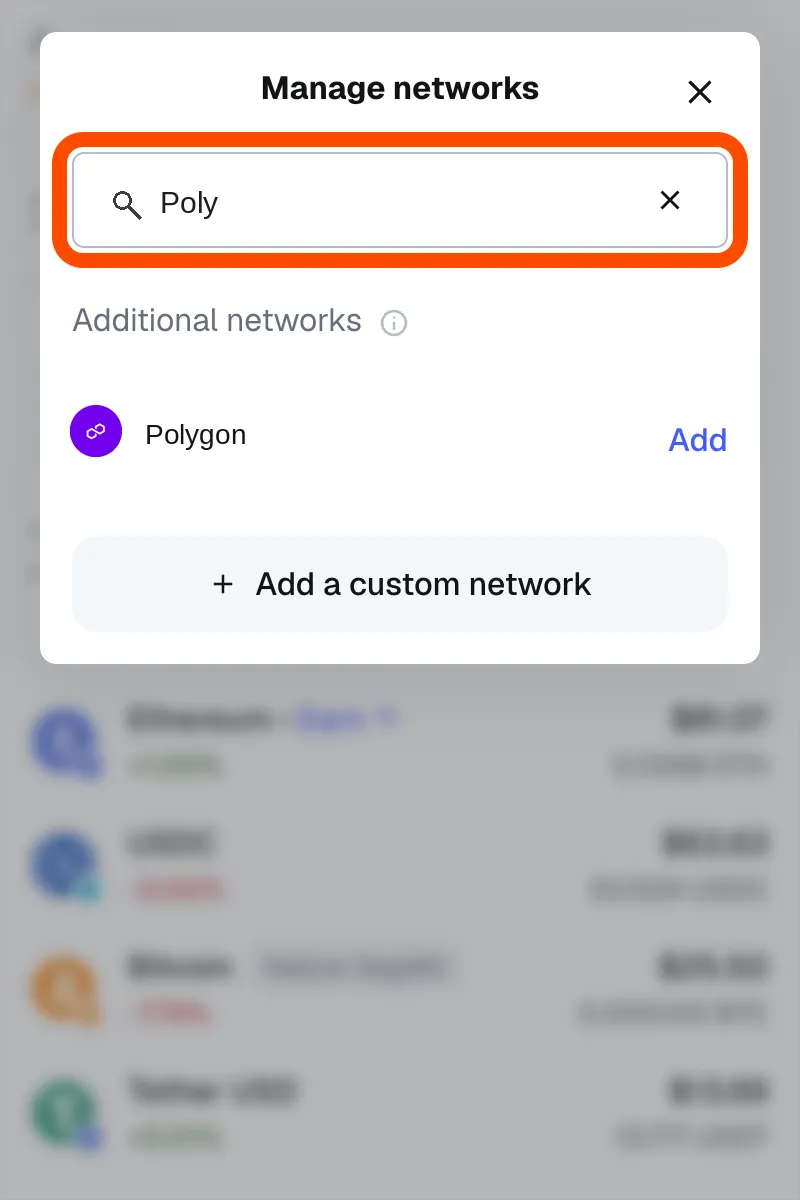
- Select Add next to Polygon, then confirm. MetaMask switches you to Polygon and your balance on the network appears automatically.
If Polygon doesn’t show up in your version of MetaMask, add it manually with these values:
| Field | Value |
|---|---|
| Network name | Polygon |
| RPC URL | https://polygon.drpc.org (or any endpoint from Polygon’s public RPC list) |
| Chain ID | 137 |
| Currency symbol | POL |
| Block explorer | https://polygonscan.com |
Want to test something first without spending real funds? The same search works for Polygon Amoy, Polygon’s public testnet (chain ID 80002, RPC https://polygon-amoy.drpc.org). Grab free test POL from the Polygon faucet.
Already had Polygon set up before 2024? Update your symbol to POL
In September 2024, Polygon completed its migration from MATIC to POL as the network’s native gas and staking token, on a 1:1 basis. If you added the Polygon network to MetaMask before then, your wallet may still label the currency “MATIC” even though every transaction is actually priced and paid in POL.
The chain ID and RPC connection didn’t change, so nothing is broken, but it’s worth fixing the label:
- Open MetaMask, expand the view, and go to Settings > Networks. Select Polygon Mainnet — the Currency symbol field shows the old value, MATIC.
- Change Currency symbol to POL and select Save. You can ignore the warning MetaMask shows here.
Adding the network fresh through the built-in search (above) already shows POL correctly, so this step is only for older, manually-added entries.
What to do once you’re connected
With MetaMask connected to Polygon, you can:
- Explore the ecosystem. Polygon’s Ecosystem Explorer lists live projects across DeFi, payments, NFTs, and prediction markets, including Uniswap, OpenSea, and Polymarket.
- Bridge assets in. Polygon Portal moves tokens between Ethereum and Polygon and shows your balances across both.
- Put POL to work. POL secures the network through staking. See how to stake POL for a walkthrough.
If you’d rather not manage a browser extension and seed phrase at all, Polygon Wallet is a simpler, embedded alternative for sending, receiving, and managing assets on Polygon without installing anything.
Stay safe
Never share your Secret Recovery Phrase with anyone, including anyone claiming to be MetaMask or Polygon support. No legitimate team will ever ask for it. You are solely responsible for your wallet, and no one can recover it for you if it’s lost or compromised. For more, see MetaMask’s security tips.
That’s it. Follow the Polygon blog and our social channels for what’s next.
Introducing Polygon CDK Besu: Launch a Hyperledger Besu chain connected to other chains and their liquidity
Polygon Open Money Stack is now a U.S.-regulated payments platform with completion of Coinme acquisition
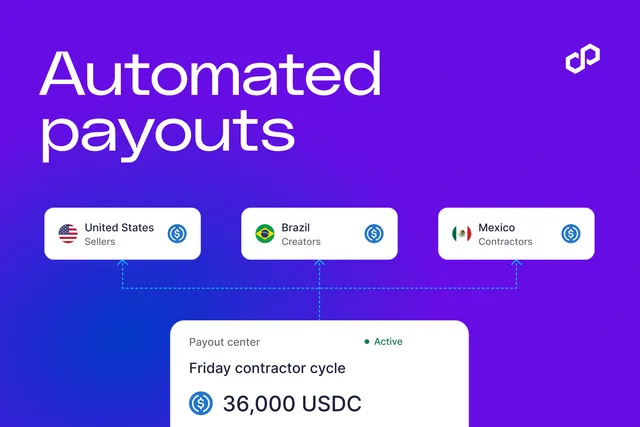
New to Polygon OMS: Automated stablecoin payout runs with rules your team sets
Polygon Open Money Stack now supports TRON
Meet Polygon at Money20/20 USA
Monerium, Frax and Capa connect euro payments to onchain FX markets on Polygon
Introducing crypto checkout in Polygon Open Money Stack
Polygon passes $3 trillion in stablecoin transfer volume
Polygon Chain now supports 11 million payments per second